AI-Driven Bugfixing in Practice
With the right assignment, fixing bugs with an AI agent can look different: the agent reproduces the issue in the application, fixes it, and provides evidence that the behavior changed.
Summary for Non-Technical Readers
One of the better sides of working with an AI agent appears when the assignment is precise enough for the agent to close the whole bugfixing loop: find the issue in the application, reproduce it, fix it, and then provide evidence that the behavior really changed.
This is exactly what happened in RZP. One team member noticed that the new module showed more records than the original legacy application in the cost and revenue accounts codebook for a selected owner, and immediately asked the AI agent to fix it. The task was not just "fix the filter." The agent had to start the application, click through to the problem, compare the behavior with the expectation, find the root cause, change the code, and deliver verifiable proof.
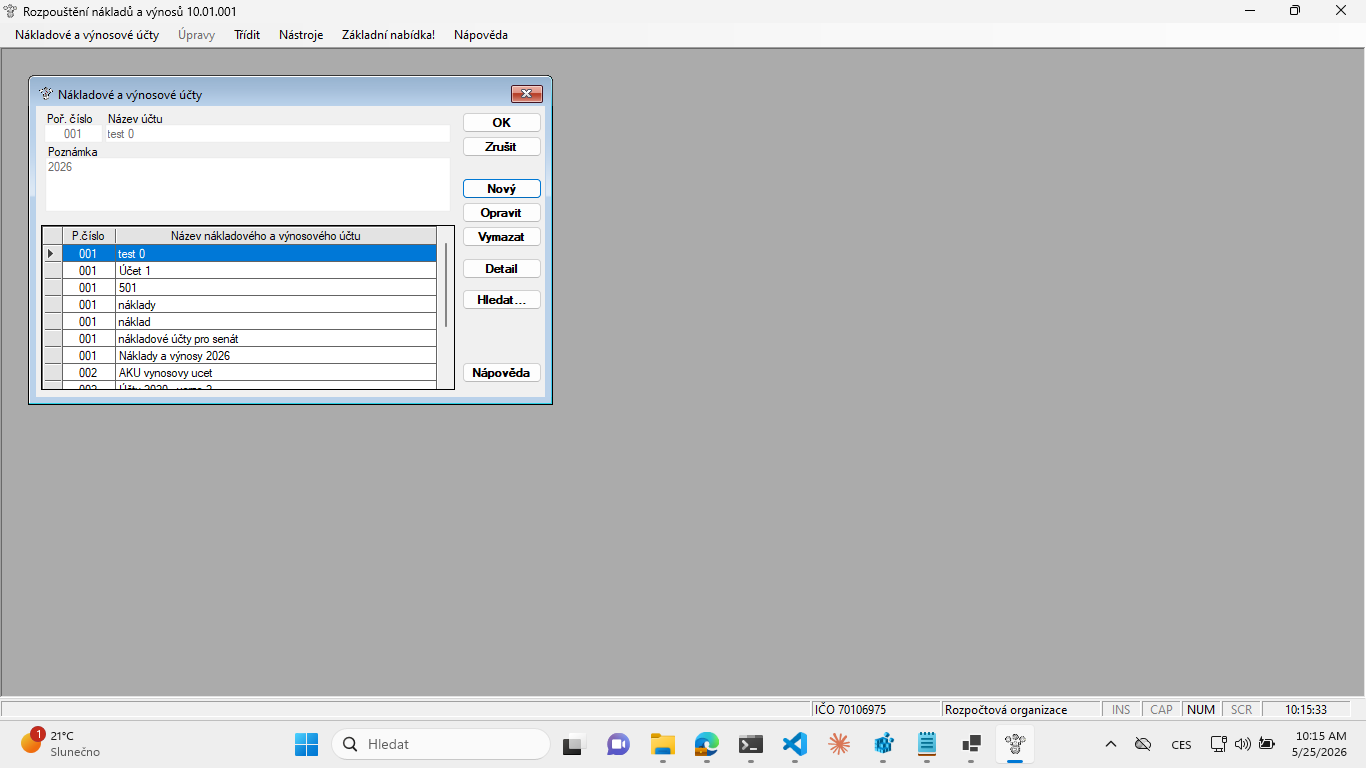
The whole session took roughly two hours. The result is captured in the attached HTML report: it contains the discovered bug, database verification, root cause, the fix itself, screenshots before and after the fix, tests, and the list of changed files.
What Was Wrong
The bug affected the cost and revenue accounts codebook. In RZP, this codebook must follow the currently selected owner and that owner's recipe type. In the legacy application, a concrete owner therefore sees only the relevant subset of accounts.
In the new version, the same situation showed more records than it should have. The report gives the example of owner IČO 70106975, who should have seen two accounts, while the new application displayed a broader set. Without the correct filter, a user could work with accounts that do not belong to the current context at all.
The AI agent moved from the team's observation to technical proof. It first verified the expected state in the database, then reproduced the bug in the running application, and only then started looking for the root cause in the code.
What the Fix Showed
The technical cause was a combination of two issues. One part was related to how AccountCodebookForm was created and how dependency injection selected its constructor. The other part was related to SQL parameter binding through OleDb. The result was that the typ_pred filter was not applied correctly in the runtime path.
The fix unified form creation, adjusted the query path, and added tests. The report also documents the concrete runtime result: after the fix, different owners receive only their matching records. The verification includes a focused test suite reported as 68 / 68 PASS.
This is exactly the kind of work where an AI agent can be useful. Not because it magically guesses the right fix, but because a good assignment lets it move through a longer technical loop: start the application, collect evidence, read the code, change the implementation, and return the result as proof.
A Useful Side Effect
During the fix, the team also found and resolved one smaller imperfection. When the owner changed in the RZP module, all open forms were not automatically closed.
At first glance, this may look like a detail, but in the legacy Fenix it is intentional behavior. When the user changes the owner, open forms are closed so the application does not have to live-reload every already open screen into the new context. In an ERP system like this, such live reload would be too complex and too easy to get wrong.
The new version of RZP therefore moved closer to the original behavior. That matters in a migration: the work is not only about fixing one visible bug, but also about catching small legacy rules that exist for practical reasons.
Why It Matters
This example shows that AI-driven bugfixing is not just quick patch generation. The value appears when the agent is driven toward a verifiable result. It is not enough for the agent to say that the bug is fixed. It has to show how it reproduced the issue, what it changed, which tests passed, and what the application looks like after the fix.
For the HAIFA team, this is an important working pattern. A legacy-system migration will contain many similar issues: some visible in forms, others hidden in data, and others only visible as a difference between the new and original application. If the team can keep this style of assignment and proof, fixing bugs with an AI agent can be not only faster, but also surprisingly pleasant.